Retro Pink: A Powerpoint Template for Modern Brands
There’s a certain warmth to a well-executed retro aesthetic. It’s not about being old-fashioned; it’s about tapping into a visual language that feels familiar, friendly, and instantly recognizable. When this nostalgic charm is filtered through a soft, modern pink palette, the result is a design tool that’s both playful and surprisingly versatile. This is the core appeal of a thoughtfully crafted template—it provides a structured starting point that still allows for complete creative freedom. For anyone building a presentation that needs to connect on an emotional level, moving beyond sterile corporate slides is the first step. A template that embraces this blend of vintage sensibility and contemporary color can be the secret weapon for a memorable pitch, a brand story, or a creative portfolio.
The Visual Personality of a Pink Retro Palette
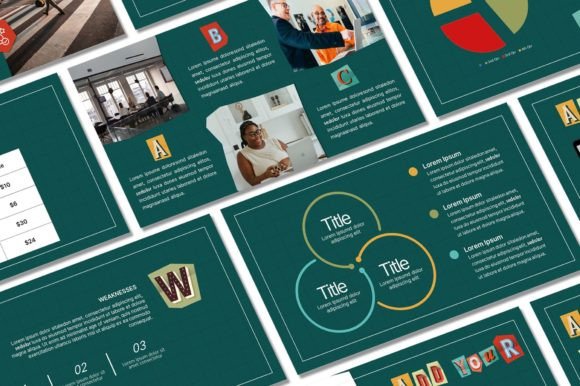
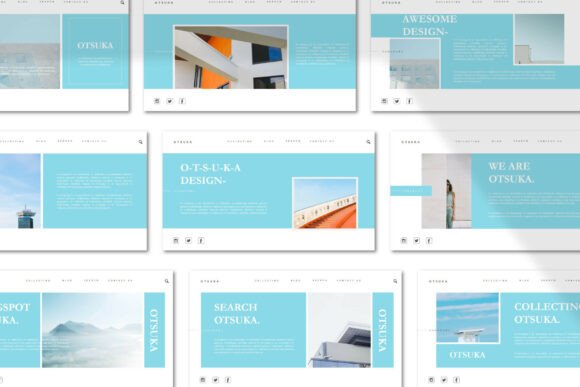
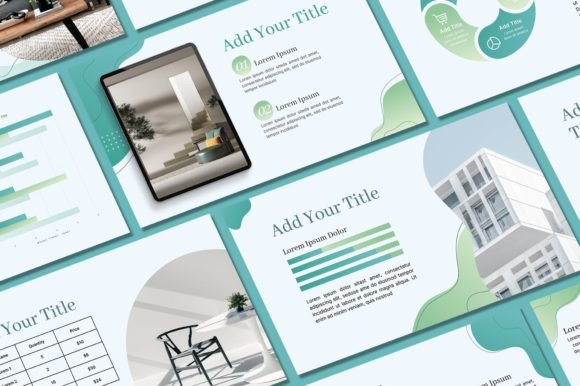
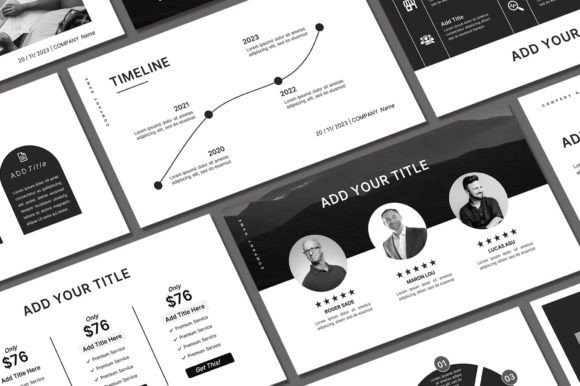
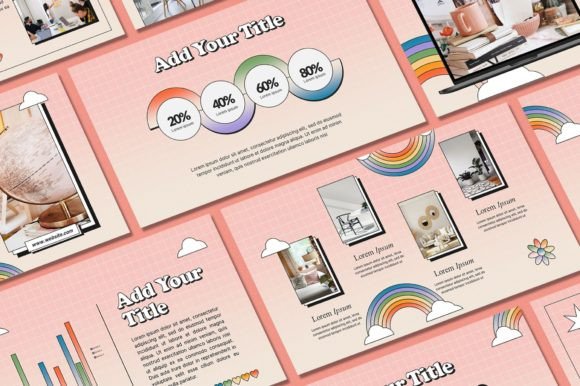
Let's break down why this specific combination works so well. Pink, in its softer shades, often evokes feelings of optimism, creativity, and approachability. It’s a color that has seen a massive resurgence in modern branding, moving beyond traditional associations to become a staple for tech startups, boutique agencies, and lifestyle brands. When paired with retro design elements—think subtle textures, rounded fonts, or mid-century inspired layouts—it creates a unique tension. You get the approachability of the color with the confident, grounded feel of vintage design. This isn't your grandmother's pink; it's a strategic color choice for brands that want to appear both friendly and authoritative. The "Retro Pink Powerpoint Template" leverages this by providing a cohesive visual system. The 16:9 aspect ratio ensures your presentation looks sharp on any modern screen, while the 50 unique slides offer a structured narrative flow from title card to detailed data slide, all bound by this distinctive aesthetic.
Practical Applications Beyond the Boardroom
While the immediate use-case is clear—a polished presentation—the assets within a quality template kit often have a longer lifespan. Consider the 400+ free icons included. These aren't just for slide decorations. A small business owner could extract them to create consistent icons for their website's navigation. A crafter could use them in designing labels for handmade products. The resizable and editable graphics are key here. They allow you to pull a single element, like a stylized arrow or a decorative border, and adapt it for a completely different project. This transforms the template from a one-time presentation file into a mini design asset library.
Think about your social media graphics. Maintaining a consistent visual feed is crucial for brand recognition. You could use individual slides as a starting point for Instagram story templates or quote graphics, ensuring every post aligns with your established color scheme and style. For bloggers or content creators, this means less time fiddling with design software and more time creating content. The same principle applies to digital products. If you're selling a printable planner or a digital workbook, the cohesive style of the slides can inspire the look and feel of your product pages, creating a seamless brand experience for your customers.
Streamlining Your Brand Identity Workflow
One of the biggest challenges for entrepreneurs and small teams is achieving visual consistency across all touchpoints. You have a logo, a website, social media profiles, email headers, and perhaps packaging—all of which need to feel like they belong to the same family. This is where a well-designed template truly shines as a practical tool. By using the Retro Pink Powerpoint Template as a foundational style guide, you establish a set of rules: here are the approved shades of pink, here is the typographic hierarchy, here is how we use white space and graphic elements.
This does more than just make things look nice. It builds brand recognition. When a client sees your presentation, then visits your website, and later sees a social media post, the consistent visual language creates a subconscious sense of reliability and professionalism. The template’s editable nature is critical here. You can drop in your own logo, adjust the background colors to match your exact brand hex codes, and install your brand's primary fonts. Suddenly, you have a presentation that doesn't just share information but actively reinforces your brand identity with every slide. This is the bridge between having a logo and having a true, lived-in brand.
Making It Your Own: The Editable Advantage
A template should be a starting point, not a cage. The true value is unlocked when you customize it. The process is straightforward: after downloading the files, you install the recommended fonts on your computer. This step is important. Using the intended fonts ensures the layout works as designed, preserving the careful spacing and alignment the creator intended. From there, the PowerPoint file is your canvas.
Swap out the placeholder images with your own product shots or team photos. Change the text to your specific narrative. Play with the background colors—maybe you want a deeper blush for one section or a crisp white for another. The ability to add your own logo to the master slide means it appears on every page, a simple but powerful branding touch. This hands-on customization is what makes the final presentation feel authentically yours, not like a generic template someone else downloaded. It’s the difference between wearing an off-the-rack suit and one tailored to fit you perfectly.
Choosing Your Tools and Understanding Licensing
Before diving into any design asset, a quick check of the practicalities is wise. For this template, a working knowledge of Microsoft PowerPoint is the main requirement. It’s also built with Excel compatibility in mind, which is useful if your presentation involves dynamic data or charts you want to keep linked. This isn't about being a design expert; it's about being comfortable with the software you'll use to edit the files.
Equally important is understanding the terms of use. The template is licensed for personal use. This means you are free to use it for your own business presentations, personal projects, or client work where you are the end-user. However, the design itself is copyrighted and cannot be resold or redistributed as your own product. You can't take the template, repackage it, and sell it on another marketplace. This is a standard and fair practice that protects the creator's work while giving you extensive freedom to use the designs for their intended purpose: making your own projects look fantastic.
Ultimately, a resource like this is about saving time and elevating your visual communication. It provides a professionally designed framework so you can focus on your message. Whether you're pitching a new client, outlining a business plan, or teaching a workshop, starting with a strong, cohesive visual foundation ensures your ideas are presented with the clarity and style they deserve. It’s a practical step toward a more polished and professional presence, one slide at a time.