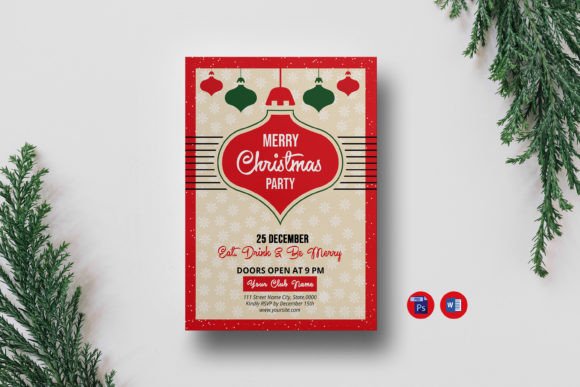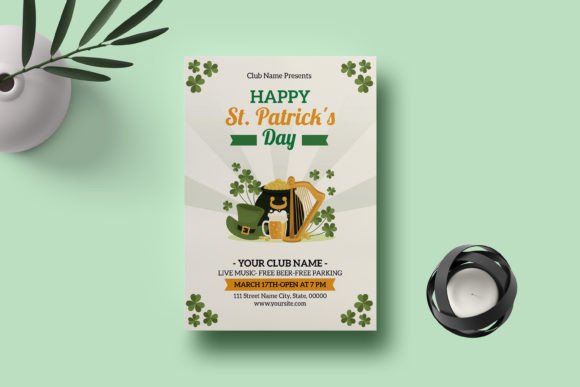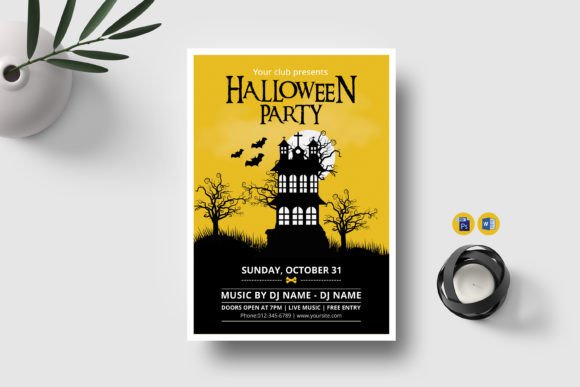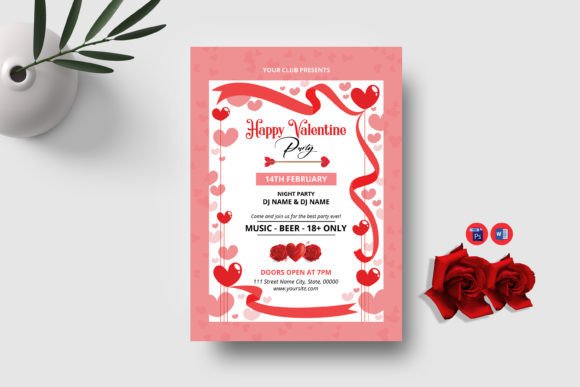
Happy Hour Party Flyer: Your Ultimate Template for Vibrant Events
Picture this: it's Thursday afternoon, and your venue's happy hour is just a few hours away. You need to create something that grabs attention, conveys energy, and gets people excited to show up. A generic template won't cut it—you need something with flair, personality, and that unmistakable "let's go out tonight" vibe. That's exactly where a well-crafted Happy Hour Party Flyer template steps in, transforming your promotional efforts from forgettable to unforgettable.
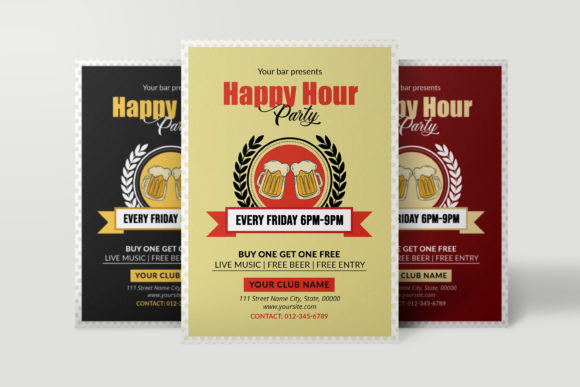
This particular template isn't just another cookie-cutter design sitting in a folder somewhere. It's a modern, visually striking piece built specifically for clubs, bars, lounges, and event organizers who understand that first impressions drive foot traffic. The design language speaks to contemporary nightlife culture—bold layouts, dynamic color possibilities, and a structure that naturally guides the viewer's eye from headline to details without feeling cluttered or overwhelming.
Why Visual Energy Matters for Nightlife Promotions
Think about the last time a flyer actually made you stop scrolling or pause while walking past a bulletin board. It probably had something distinct—a color combination that popped, a layout that felt fresh, or imagery that communicated the exact mood of the event. That's the difference between a template that works and one that just exists.
This flyer template operates at 5x7 inches with a 300 dpi resolution in CMYK color mode, which means it translates beautifully from screen to print. Whether you're handing out physical flyers at a nearby college campus or posting a digital version to Instagram Stories, the quality remains sharp and professional. The 0.25-inch bleed ensures clean edges when printed, eliminating that frustrating white border that plagues so many DIY designs.
What makes this particular design stand out in a crowded market of templates is its flexibility without sacrificing personality. You're not locked into one aesthetic direction. The PSD and PDF formats give you genuine control—swap colors to match your venue's branding, experiment with different fonts to match the energy of your event, layer in your own photography, and adjust text to highlight drink specials, DJ lineups, or themed nights.
Practical Applications Beyond the Obvious
Yes, this template is designed for happy hour promotions, but limiting it to one use case would undersell its versatility. Event planners, small business owners, and content creators regularly repurpose templates like this across multiple touchpoints in their marketing strategy.
Consider these real-world applications:
- Social media graphics: Resize and adapt the design for Facebook event covers, Instagram posts, or WhatsApp broadcast messages to your regulars.
- Print materials: Beyond standard flyers, the layout works for table tent cards, menu inserts, or even coaster designs with minor adjustments.
- Digital invitations: Hosting a private event, birthday bash, or corporate mixer? Customize the template to serve as a stylish digital invite sent via email or messaging apps.
- Brand consistency: If you run a recurring weekly event, using this template as your base ensures every promotion feels cohesive while still allowing room for fresh details each week.
- Merchandise and signage: Adapt elements from the design for posters displayed in-store, window clings, or even branded merchandise for special events.
- Blog and editorial layouts: Lifestyle bloggers covering nightlife, cocktail culture, or event planning can use modified versions as featured images or within-article graphics.
The key takeaway here is that a single well-designed template becomes a foundational design asset—not just a one-time-use file that collects digital dust after one event.
Working With the Template: A Hands-On Approach
One of the strongest aspects of this package is how accessible it makes professional design. You don't need a decade of Photoshop experience to make this flyer your own. The files included—three editable PDFs, three editable PSDs, and three editable elements—provide multiple starting points depending on your comfort level and software availability.
If you're working in Photoshop CS6 or later, the PSD files open directly with organized layers. Want to change the font? Select the text layer with the text tool and type your own content. Need to swap a color? Use the adjustment tools or simply click into the relevant layer and modify the hex values. The help file includes download links for the fonts used, so you can maintain the original aesthetic or branch out with your own typographic choices.
For those who prefer working in PDF format—perhaps you're more comfortable in Illustrator or a simpler editing tool—the PDF versions offer similar editability while maintaining print-ready quality. This dual-format approach means you're not forced into a single workflow, which matters when you're juggling multiple responsibilities as a small business owner or solo marketer.
A practical tip: before committing to a final design, create two or three variations. Test different color palettes—one that matches your venue's existing branding and one that contrasts for visual impact. Compare them side by side. Often, the version you initially didn't consider becomes the strongest performer once you see it in context.
Typography Choices That Set the Tone
The fonts included with this template were selected to complement its modern, energetic aesthetic. Typography in nightlife and event promotion carries enormous weight—it communicates sophistication, fun, edginess, or elegance before anyone reads a single word of actual content.
When customizing, keep a few principles in mind. Your headline font should command attention without sacrificing legibility at a glance. People scanning a flyer in a dimly lit bar or quickly scrolling through a feed won't pause to decipher overly ornate lettering. The body text—where you place time, location, and special offers—needs to be clean and easily readable even at smaller sizes.
Font pairing is where many DIY designs stumble. A bold display font for headlines paired with a clean sans serif for details creates natural hierarchy. Avoid using more than two or three typefaces in a single design, as visual clutter undermines the very energy you're trying to project. If you're unsure, stick with the fonts provided in the package—they were chosen to work together harmoniously.
Also worth noting: always verify the commercial licensing of any font you use. The fonts included in this package come with their licensing details in the help file, which protects you legally whether you're promoting a local bar or distributing flyers as part of a paid client project.
Printing and Distribution Considerations
The CMYK color mode and 300 dpi resolution signal that this template was built with professional printing in mind. If you're taking files to a local print shop, these specifications meet standard commercial requirements, which means no awkward conversations about file compatibility or resolution issues.
However, distribution strategy matters just as much as print quality. A beautifully printed flyer that sits in a stack on a counter accomplishes very little. Think strategically about placement—partner with nearby businesses for cross-promotion, hand them out at complementary events, or leave small stacks at locations your target audience frequents.
For digital distribution, export your finished design at web-optimized resolution. A 300 dpi file is overkill for Instagram and will load slowly if used on a website. Most platforms perform best with 72 dpi images at appropriate pixel dimensions. Save a separate web version while keeping your print file untouched—that way you maintain both assets without compromise.
Building a Cohesive Event Brand Over Time
One flyer won't build a following, but consistent, recognizable promotional materials absolutely will. If your venue hosts weekly happy hours, monthly themed parties, or seasonal events, developing a visual system around your promotions creates cumulative brand recognition. Regulars start to associate certain colors, layouts, and design elements with your events specifically.
This template serves as an excellent foundation for that kind of visual consistency. By keeping the core structure intact while rotating details—different featured cocktails, guest DJs, seasonal themes—you build a recognizable series that audiences begin to anticipate. That anticipation translates directly into attendance, engagement, and ultimately revenue.
The files you receive give you the building blocks to establish exactly this kind of repeatable, professional-looking promotional cycle without hiring a designer for every single event. That's real, practical value for any venue owner, event promoter, or creative professional managing their own marketing materials.